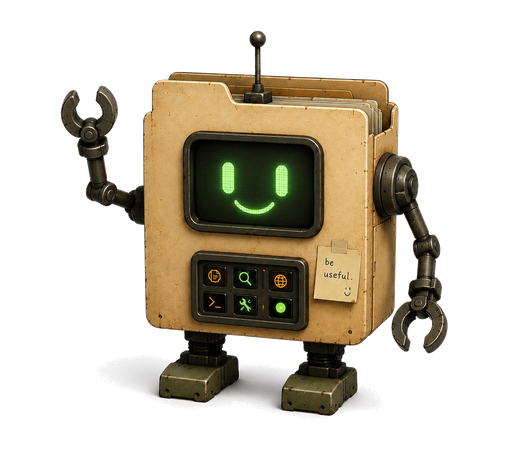
“Hey Siri — tell my assistant to schedule the car detailer”
In 60 minutes, I'm going to show you exactly how to set this up. For free.
You say a job out loud. The bot takes it and hands it back done.
As a business owner, you already know the to-do list is never going to be empty.
So stop trying to finish it. Hand a piece of it to AI — scheduling the detailer, cancelling the membership, the emails you already know the answer to — and spend your day on the things only you can do.
And it has never been easier. You talk to your phone. The job goes straight to your bot. It comes back done.
Let me show you how to set it up, step by step, live.
Three steps. That's the whole thing.
- SAY“Hey Siri, tell my assistant to cancel my gym membership.” Locked screen. One second.
- LANDSIt's in Notion before you finish the sentence. Your account. Nothing to type or file.
- DONEThe bot does the work. Drafts it, writes it, chases it — hands it back done.
Say it once and it's off your plate.
Here's exactly what you walk out with
-
The Siri shortcut
$200Speak, and it's in Notion a second later. Locked screen.
-
Your Notion second brain
$300Where everything you say lands, and the bot works from. Built live.
-
The bot that does the work
$600Give it a job out loud, it hands it back done. Give it your week, it plans it.
-
The Command Pack
$200Twenty things to say that already work.
-
60 minutes with me, live
$500Not a recording. Me on the screen, fixing what isn't working on yours.
-
The fix-it-with-you call
$250Not working by the end? You get me one-on-one until it is.
yes — actually free, no card, nothing to cancel
Why free?
Because free costs me less than ads do.
One: first time I'm running it. You get the bot, I get to see where it breaks.
Two: at the end I open a couple of spots to work with me one-on-one.
Take the free thing and run. Nothing is held back for the paid version.
Come if
- You have an iPhone.
- You're brand new to AI. Zero is the perfect starting point.
- You have a pile of twenty-minute jobs you keep not doing.
- Your best thinking happens in the car.
- You tried ChatGPT and quietly stopped opening it.
- You want the result, not the skill.
Don't come if
- You want to talk about where AI is going in five years.
- You already build with AI and want advanced stuff.
- You want to admire a system instead of using one.
- You're planning to watch the replay.
Who's running it
There are two kinds of people teaching AI.
The first hypes it and leaves you feeling behind. The second breaks it down so simply your dad could set it up on his phone.
There are very few in that second group. I'm one of them.
I'm Sophie. Two years ago I left Caltech — computer science and machine learning — to build businesses instead. I co-own a landscaping company in Austin and built the stack of AI agents that runs my entire day.
Before that I was dropping the ball in three places a week. This system is what gave me the clarity to execute — and took me from 0 to 10k on Instagram in six months.
Now I'm giving it away. You won't find this build anywhere else. Not on YouTube. Not in a course.
60 minutes, live with me. Bring a phone and a laptop. I'll see you there!

that's me — hi
Next by Sophie
This is what's next when it comes to getting things done.
Not another app. Not another list. You talk, it lands, something else does the work.
Be early to it. Tuesday, 6:00pm CT.
Stay the 60 minutes. If you can't say something out loud and watch your bot do it by the end, message me — I set it up with you myself. Free. Until it works.
You risk 60 minutes. I'm on the hook for the result.
you are not behind. you just haven't set it up yet.What people ask before they register
Is this a pitch?
Fifty minutes are the build, yours to keep. In the last ten I open a couple of spots to work with me. Nothing is held back.
Do I need to be technical?
No. Built for 100% beginners. If you can install an app and follow a shared screen, you can do this.
Do I need Notion already?
No. It's free and we set it up on the call. Already use it? We point at your databases.
Where does my stuff actually live?
Your Notion, your account. The bot reads it with a key you can switch off in one click.
What do I need ready?
Laptop, iPhone, a free Notion account. That's it.
I'm on Android.
The voice piece is iPhone on this call. Come anyway — I'll show you the Android version after.
Will there be a replay?
Yes. But the people who build it live are the ones still using it.
What if it doesn't work on my phone?
I fix it with you on a call afterwards. That's the guarantee, literally.
Is this going to be one more thing to maintain?
It replaces the ten you maintain badly. If it needs babysitting, I built it wrong.
“Hey Siri — tell my assistant to cancel that membership”
Hand off your to-do list to AI.
You're in. Put it in your calendar.
Tuesday, October 6 · 6:00pm CT. Bring a laptop and your phone — the Zoom link comes by email.